Docker Compose Deployment
Compose Deploy accepts reviewed Docker Compose YAML using pre-built images. Use Git Deploy when the application must be built from source. The panel interprets supported Compose fields; it does not run an unrestricted docker compose up on the host.
Prepare and deploy
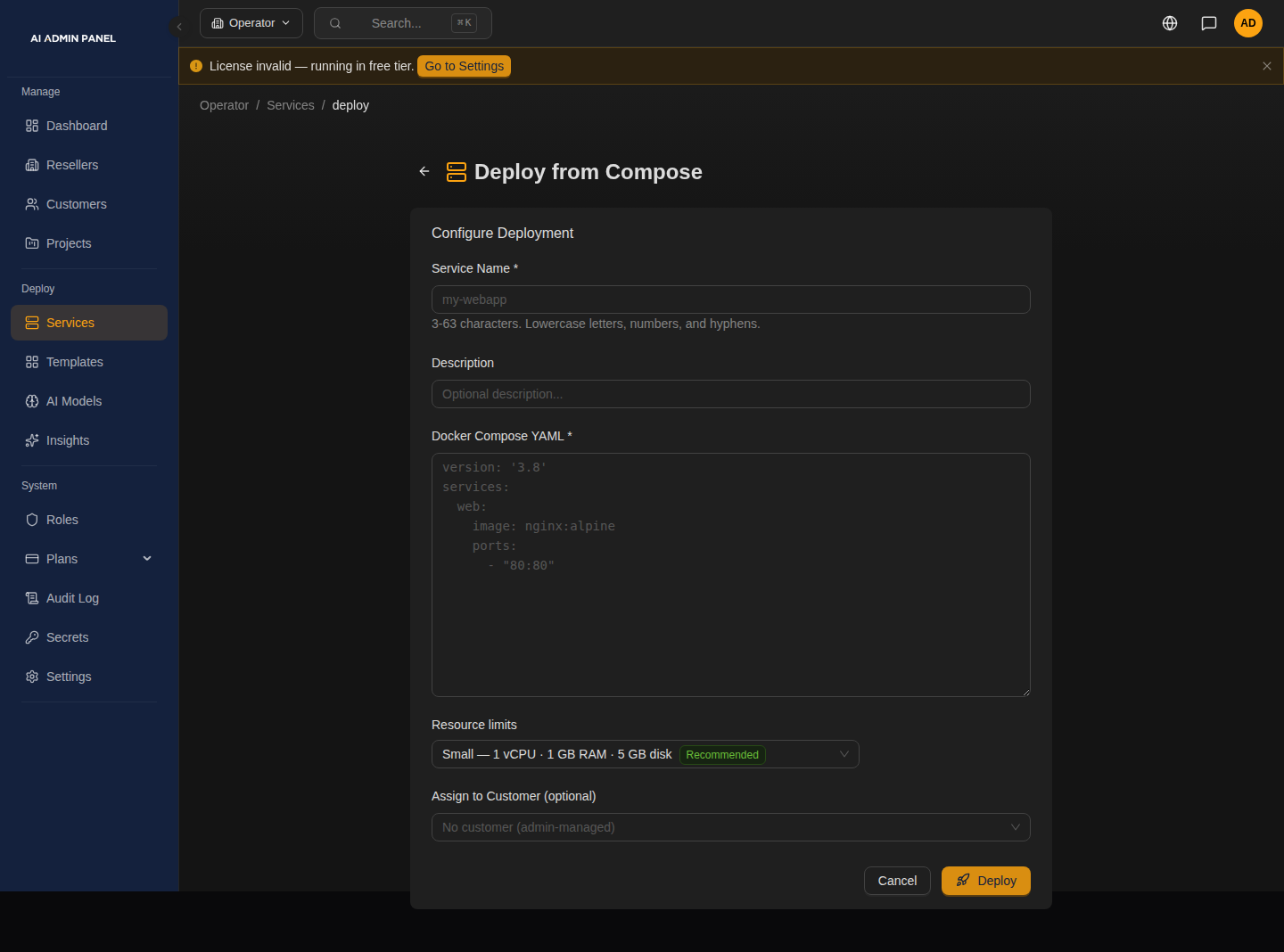
The empty editor displays a placeholder with a host-port mapping. Use the expose example below instead: pasted Compose rejects published host ports.
- Open Deploy → Docker Compose.
- Enter a service name, customer assignment, Compose YAML and resource limits.
- Review the generated configuration and deploy. Follow progress and inspect application logs before testing the service's HTTPS URL.
This minimal example routes to nginx on container port 80:
services:
  web:
    image: nginx:stable-alpine
    expose:
      - "80"
Use expose for the application's container port. Routing selects the first service whose container port matches the declared web port. When no web port is declared or no service matches it, routing selects the first service with a port in dependency order. If no service declares a port, no routing target is selected. Pasted Compose ignores the aiadminpanel.primary label; that label's selection rule belongs to Git Deploy's repository Compose parser.
For a pasted multi-service stack, declare expose on the intended HTTP service and avoid unnecessary port declarations on database or cache sidecars: the fallback can select a sidecar instead of the web application. Verify the HTTPS URL after deployment. Additional custom hostnames are managed through the service's Domains tab.
Variables and persistence
Use the supported ${AAP_*} system tokens described in Template Authoring, such as ${AAP_URL} and ${AAP_PASSWORD_DB}. Reuse the same full token wherever one value must match. Arbitrary double-brace placeholders are not password generators.
Prefer named volumes for application data and keep their mount paths aligned with the image's requirements. A container restart policy and a healthcheck serve different purposes; an unhealthy running process is not automatically repaired by declaring a healthcheck. Verify persistence through an application-specific recovery procedure; review the backup limitations.
Validation limits
The Compose validator rejects privileged containers, added capabilities, host network/PID/IPC namespaces, Docker socket or sensitive host mounts, published host ports, and build: directives. Selecting a template's raw profile does not grant privileged Docker access through this validator. Host environment variables are not passed to the Compose loader for interpolation.
Use the image's supported non-privileged configuration. If it needs unsupported host access, this deployment method cannot provide it. Do not remove validation controls to make an example run.
Troubleshooting
Image refused: reserved labels
The panel inspects each image after it is pulled. An image that ships a label whose name starts with traefik. or aiadminpanel. (upper or lower case) is refused, and there is no override: those labels control public routing and service ownership, and Docker copies an image's labels onto its container.
What to do: rebuild or re-tag the image without those LABEL lines, or use a different image, then deploy again. The service's deployment history names the image and the labels. On a redeploy the check runs before the running containers are stopped, so the service keeps running and keeps its status. Labels written under labels: in pasted Compose are not applied to the container at all.